Managing Delegation Access
Last updated: March 26, 2026
Delegation allows you to give someone on your team access to manage your scheduling on your behalf.
This is especially useful for assistants or team members who help coordinate meetings.
What is Delegation?
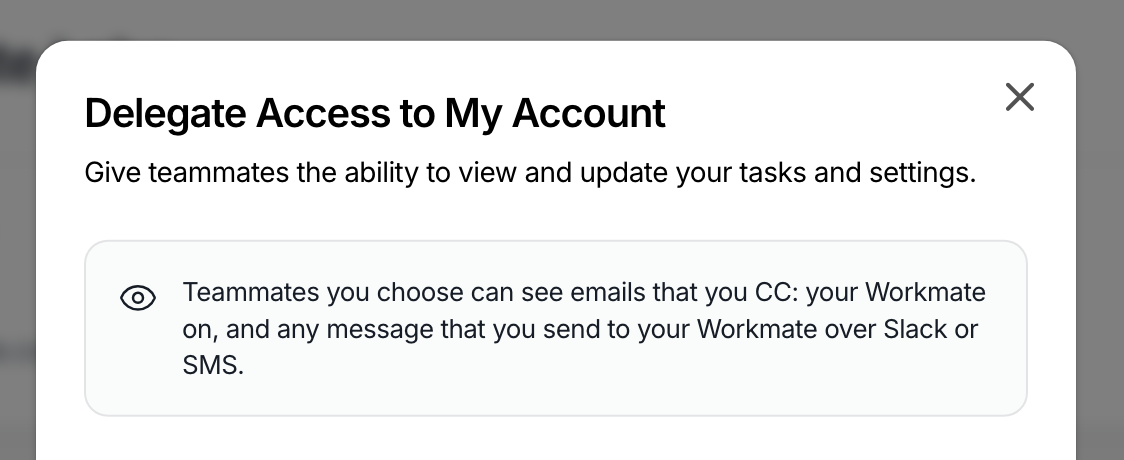
Delegation lets you grant access to another user so they can manage your account, including scheduling meetings and updating your preferences.
Once access is granted, they can act on your behalf within Workmate.
How to Grant Delegation Access
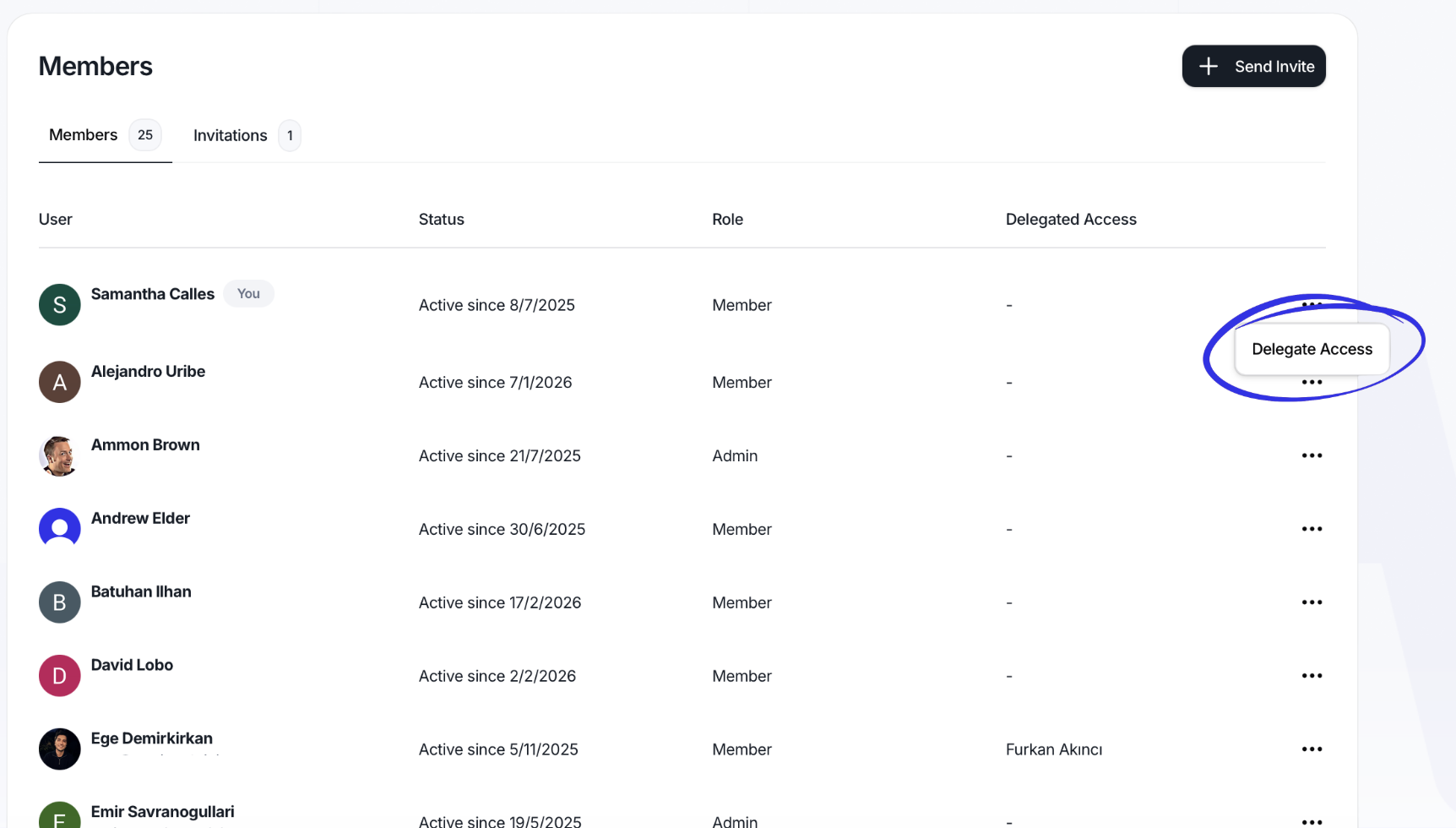
Go to the Team section
Find the person you want to give access to
Open the options menu (•••) next to their name
Select the option to grant access
Once enabled, they will be able to view and manage your account.
How to Remove Access
Go to the Team section
Find the person whose account access you want to update
Open the options menu (•••) next to their name
Click Delegate Access
In the list of teammates, uncheck the person you want to remove
Save or confirm the change if prompted
Once removed, that teammate will no longer be able to access or manage the account.
Who Should Have Access?
Delegation is best used for:
Executive assistants
Operations or admin team members
Anyone responsible for managing scheduling on behalf of others
Important Notes
Delegated users can manage your scheduling and preferences
Changes made by a delegate apply directly to your account
Only grant access to trusted team members