Instant Booking with Colleagues (Calendar Visibility)
Last updated: March 15, 2026
If you have visibility into your colleagues’ calendars through your own calendar system, Workmate can automatically schedule meetings with them without needing back-and-forth coordination.
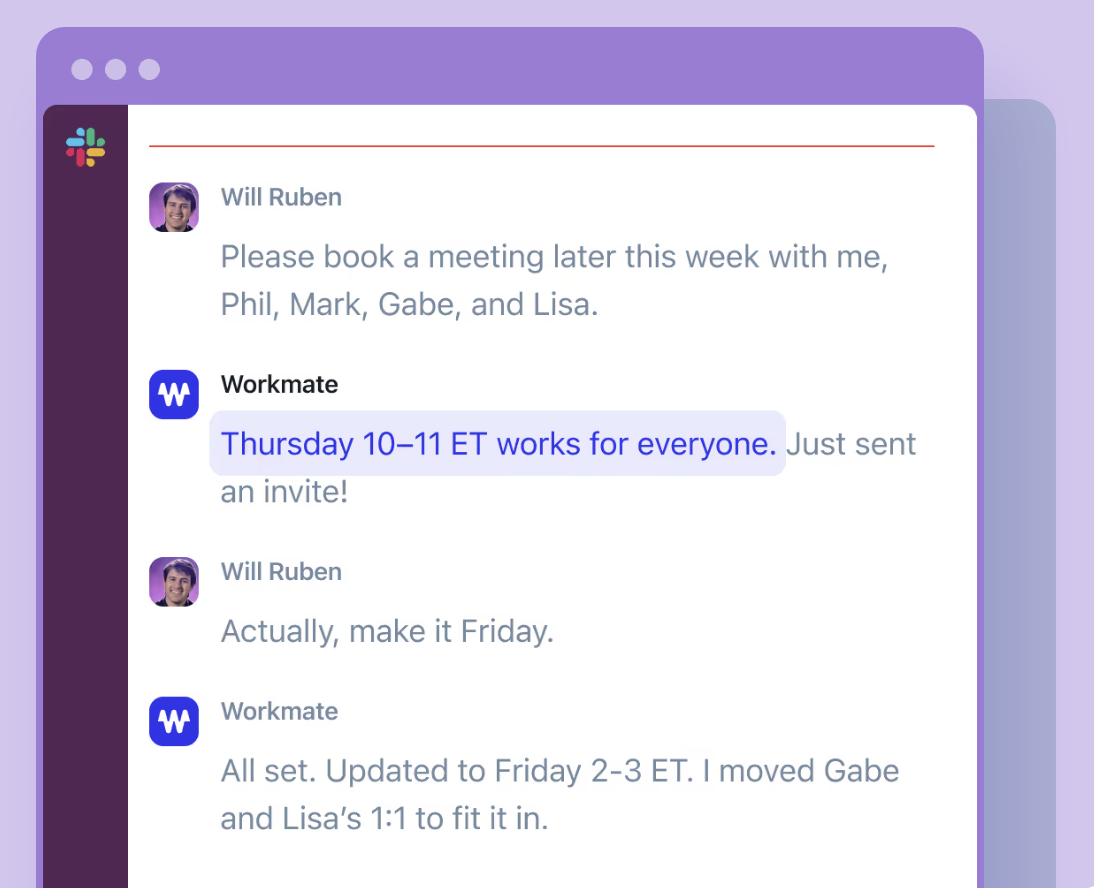
Instead of proposing multiple time options and waiting for replies, Workmate can check everyone’s Free/Busy availability and automatically select a time that works for all participants. This makes scheduling internal meetings significantly faster.
How Instant Booking Works
When this feature is enabled, Workmate will:
Check your availability
Check the Free/Busy availability of your colleagues whose calendars you can view
Identify an available time slot that works for everyone
Automatically schedule the meeting
Because Workmate can access this availability through your calendar integration, there is no need to suggest times or wait for replies.
When This Works
Instant booking works when all of the following conditions are met:
You have access to your colleagues’ calendars through Google Calendar or Microsoft Outlook
Their calendars show Free/Busy availability
Workmate can read your calendar through your connected account
The meeting participants are people whose availability you can view
When these conditions are met, Workmate can automatically coordinate meetings without asking for confirmation of specific time options.
Do Your Colleagues Need Workmate?
No. Your colleagues do not need a Workmate account for this feature to work.
They only need to have calendars that are visible to you.
Workmate accesses their availability through your calendar permissions, allowing it to see whether they are free or busy.
This makes the feature especially useful for:
Internal team meetings
Organizations with shared calendars
Teams using Google Workspace or Microsoft 365
Business Plan Requirement
Instant booking using calendar visibility is available on the Business plan.
This feature is designed for teams that share calendar visibility across their organization and want to automate internal meeting coordination.
If your team frequently schedules meetings internally, upgrading to the Business plan allows Workmate to:
Automatically coordinate internal meetings
Eliminate scheduling back-and-forth
Schedule meetings faster across teams
Multi-Person Meetings
This feature also works for meetings with multiple colleagues.
Workmate will automatically compare all participants' availability and find a time that works for everyone.