What Is Workmate and How Does It Work?
Last updated: March 12, 2026
Workmate is an AI scheduling assistant that handles the back-and-forth of coordinating meetings for you.
Instead of manually checking calendars, suggesting times, and following up with participants, you can simply include your Workmate in the conversation and let it handle the scheduling.
Workmate works across the tools you already use — including Email, Slack, SMS, and calendar integrations — so you can schedule meetings without switching platforms.
Once connected, your assistant can:
Share your availability with guests
Coordinate meeting times
Automatically follow up if someone hasn’t replied
Detect scheduling conflicts
Send calendar invites once a time is confirmed
Workmate is powered by AI and supported by a human operations team, ensuring scheduling stays accurate, reliable, and responsive.
How Scheduling Works
Using Workmate is simple. Whenever you need to schedule a meeting, just add your Workmate to the conversation. This can be done by:
CC’ing your Workmate on an email thread
Sending a message through Slack
Texting your Workmate via SMS
Emailing your Workmate directly
Once included, your Workmate reads the conversation and understands that a meeting needs to be scheduled. It then begins coordinating with the participants to find a suitable time based on your calendar and scheduling preferences.
Your Workmate will continue managing the conversation until a time is agreed upon and the meeting is confirmed.
Instant Scheduling with Teammates
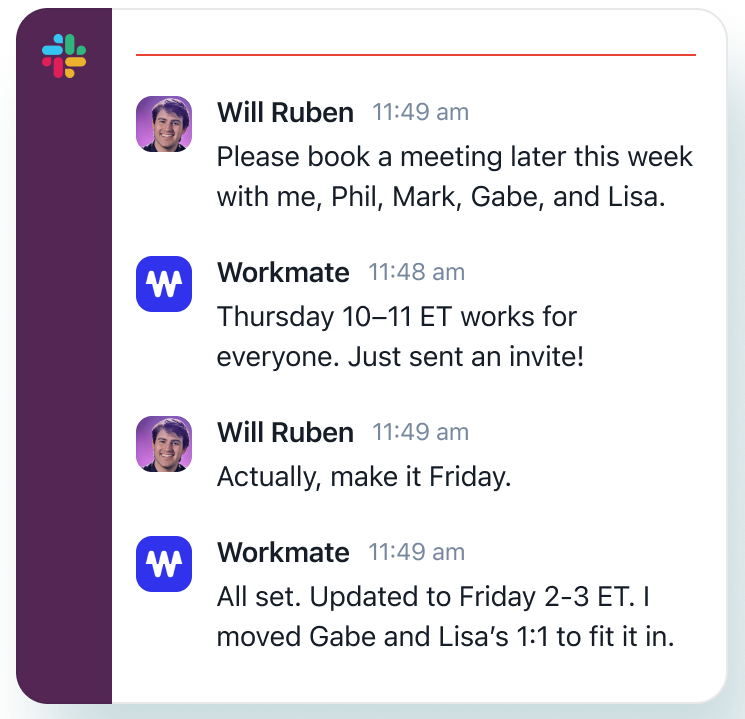
If the person you’re scheduling with also uses Workmate or if they are part of your team workspace, meetings can often be scheduled instantly.
In these cases, Workmate can automatically check both calendars and suggest a time that works for everyone without needing a long back-and-forth conversation.
This feature, known as autoscheduling, makes coordinating internal meetings significantly faster.
Customize How Your Workmate Schedules
Workmate can be customized to match how you prefer to schedule meetings.
You can configure things like:
Your working hours
Preferred meeting times
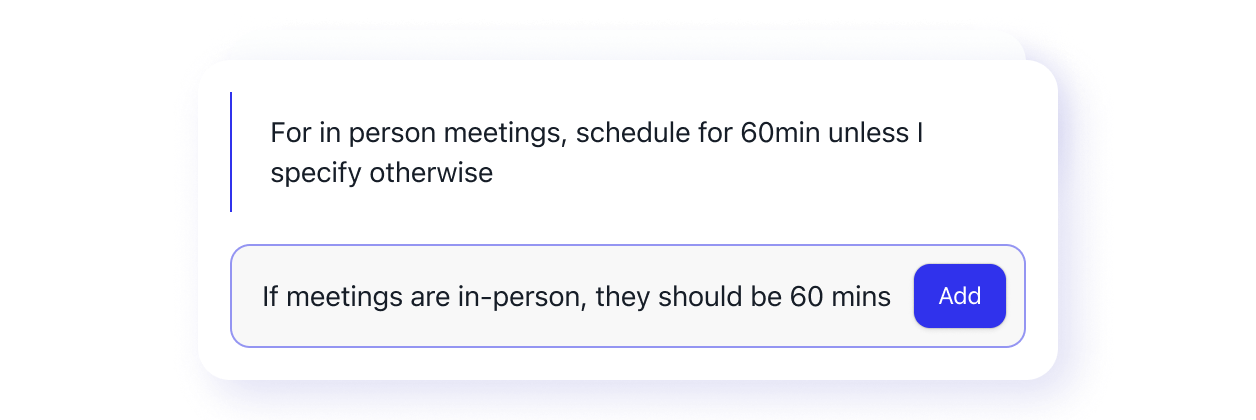
Scheduling rules and instructions
Meeting duration preferences
Which calendars should be checked for availability
These settings help your Workmate understand how to coordinate meetings in a way that fits your schedule.
Reliable Scheduling, 24/7
Workmate operates around the clock, so scheduling can continue even when you’re offline.
The platform combines AI automation with human verification, ensuring that meetings are scheduled correctly and conversations stay on track.

What Happens Next
Once your Workmate is connected, scheduling can begin right away. From that point on, your assistant will step in whenever you include it in a conversation that involves coordinating a meeting.
Most users find that after the initial setup, scheduling becomes something they rarely have to think about again.
If you’re ready to get started, the next step is connecting your account and configuring your schedule.