Understanding Coordination Requests
Last updated: March 26, 2026
Coordination requests allow you to schedule meetings on behalf of someone else, without being added as an attendee.
This is especially useful for executive assistants, operations teams, or anyone coordinating meetings for others.
What is a Coordination Request?
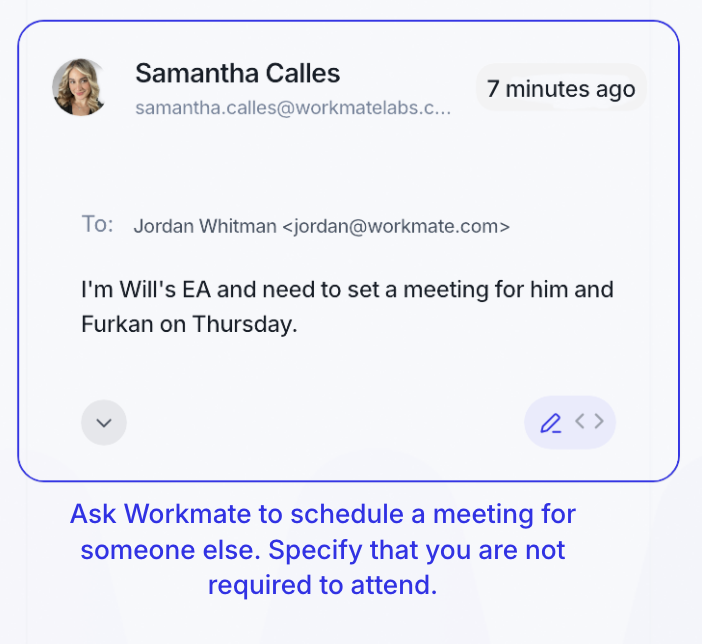
A coordination request happens when you ask Workmate to schedule a meeting for someone else.
Instead of treating you as an attendee, Workmate understands that you are coordinating the meeting.
What Happens Automatically
When a coordination request is detected, Workmate will:
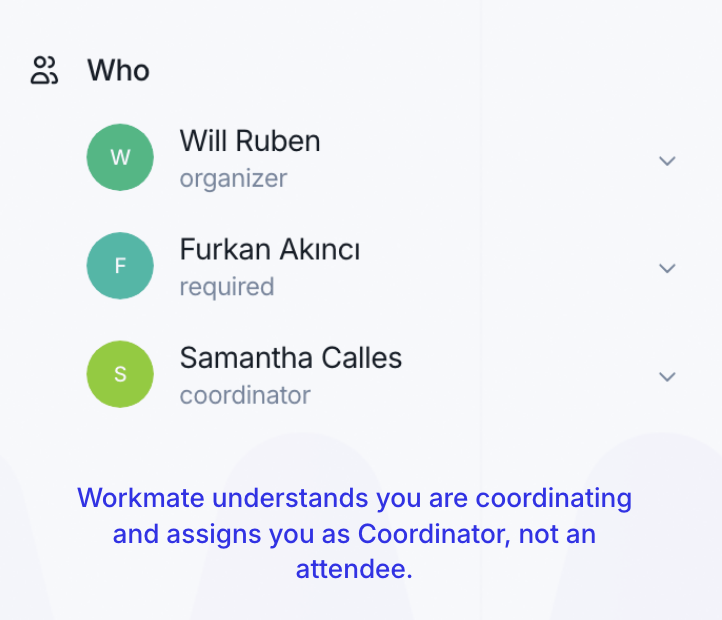
Assign you as the Coordinator
Exclude you from the calendar invite
Schedule the meeting for the correct participants
Set the appropriate person as the organizer
This ensures meetings are created cleanly, without unnecessary attendees.
Coordinator vs Attendee
Understanding this distinction is key:
Coordinator → Organizes the meeting but does not attend
Attendee → Participates in the meeting
Workmate automatically assigns these roles based on how the request is made.
When Does This Happen?
Workmate identifies coordination requests when you clearly indicate that you are scheduling for someone else.
Common examples include:
“I’m scheduling a meeting for [Name]”
“Can you find time for them?”
“Setting this up on behalf of…”
In these cases, Workmate understands that you are not part of the meeting.

Why It Matters
Without coordination logic, assistants are often:
Added to meetings they are not attending
Included in calendar invites unnecessarily
Creating clutter in scheduling workflows
Coordination requests solve this by ensuring:
Clean calendar invites
Correct roles for each participant
More efficient scheduling